Category: Uncategorized

  • See Yourself in Any Outfit Before You Buy: The AI-Powered Solution for Virtual Try-One

    See Yourself in Any Outfit Before You Buy

    Have you ever wondered how you’d look in that stunning dress or that sharp suit before clicking the “purchase” button? Online shopping offers endless possibilities, but it also presents challenges. AIPhotoCraft is here to change the game.

    The Challenges of Online Shopping

    Uncertainty About Fit and Style

    One of the biggest hurdles when shopping online is the uncertainty about the fit. Will that top truly complement your body type? It’s hard to know if the style you love will look good on different body types, and that’s why many shoppers hesitate to buy clothes online.

    Visualizing Outfits Before Purchase

    Trying to imagine how an outfit will look on you can be tough. Product photos are helpful, but they don’t show you in the clothing. You want to try on clothes and see a realistic preview of how it will look, but that’s not possible in the virtual world unless you have the right AI tool.

    Why Virtual Try-Ons are Gaining Popularity

    Enter virtual try-on technology! These tools allow you to virtually try on outfits, offering a glimpse into how clothing will look on you. The rising popularity of virtual try-ons is fueled by the desire to experiment with different styles and ensure a great fit before purchase, minimizing the risk of returns.

    Introducing AIPhotoCraft for Virtual Outfit Try-One

    Change outfit with the help of AI

    What is AIPhotoCraft?

    AIPhotoCraft is an AI-powered solution designed to let you virtually try on outfits. It’s like having a personal fitting room at your fingertips. See yourself in any outfit before you buy, ensuring you love the fit and style. It’s an AI clothes changer designed for the modern shopper.

    How AI Detects Body Shape and Proportions

    Our advanced virtual try-on technology uses AI to analyze your photo. It accurately detects your body shape and proportions. This allows the AI to generate realistic images of you wearing different styles of clothing. This ensures the virtual try-on experience is as close to trying on clothes in a mirror as possible.

    Benefits of Using AI in Fashion

    Using AI for virtual try-on has many advantages. You can explore different styles, check the fit, and see how clothes would look on different body types. This enhances the online shopping experience, reduces returns, and helps you build a wardrobe that truly suits you.

    Key Features of AIPhotoCraft

    AI Clothing Swaps

    With AI clothing swaps, you can change clothes in your photos instantly. This virtual try-on technology lets you experiment with different styles without physically trying them on. Simply upload an image, and our AI will seamlessly render the new clothing onto your body, making the virtual try-on experience a breeze. This can help you decide on your next purchase from your favorite brand.

    Outfit Visualization Techniques

    AIPhotoCraft employs advanced virtual try-on technology and image generation to provide realistic outfit visualizations. See how clothing drapes, fits, and complements your body type. Our AI try-on tool makes it easy to virtually try on outfits and preview different styles and combinations, ensuring you make the right choice when shopping online. You can experiment before purchase.

    Color and Pattern Changes

    Beyond just swapping clothes, AIPhotoCraft allows you to change clothes’ colors and patterns. This feature lets you experiment with different styles and see how various colors and patterns would look on different body types. Imagine virtually trying on a dress in multiple colors before you purchase. See yourself in any style you like and build the perfect wardrobe with this AI tool.

    How to Virtually Try On Outfits with AIPhotoCraft

    Step 1: Uploading Your Photo

    First, upload a clear photo of yourself to AIPhotoCraft. Make sure the photo shows your full body so that the AI can accurately detect your proportions. The better the quality of the image, the more realistic the final preview will be, ensuring the virtual try-on experience is top-notch. You’ll virtually try on outfits in no time at all!

    Step 2: Selecting Clothing Styles

    Next, select the clothing styles you want to try on virtually. Our AI tool offers a wide variety of options, from casual tops to formal suits. Browse through different styles and choose the items you’re curious about to see how they would look on your body type. The AI will virtually try the items on for you.

    Step 3: Adjusting Fit and Previewing

    Once you’ve selected your outfit, you can adjust the fit for a realistic preview. AIPhotoCraft allows you to fine-tune the placement and size of the clothing to match your body shape. Once you’re satisfied, preview the final image and see how you look in your new style. You will want to purchase everything you’ve tried on!

    Practical Use Cases for Virtual Outfit Previews

    Trying New Outfits for Special Occasions

    Planning for a wedding, a party, or a special date? With AIPhotoCraft, you can virtually try on outfits to find the perfect style before you purchase. See yourself in different styles of dresses, suits, or formal wear to ensure you look and feel your best. The virtual try-on experience will remove the worry of selecting the wrong outfit.

    Experimenting with Fashion Trends

    Curious about the latest fashion trends but unsure if they’ll suit you? AIPhotoCraft lets you experiment with different styles and see how they look on different body types. This virtual try-on technology makes it easy to try on clothes virtually and discover new looks without any commitment. It helps you find your perfect look without wasting money on styles that may not be right for you.

    Creating Content for Social Media

    AIPhotoCraft is also great for content creators. You can quickly generate eye-catching images of yourself in different styles of clothing for social media. Use the AI clothes changer to create engaging posts, show off different body types, and virtually try on outfits, all without needing a physical wardrobe. Engage your followers with different styles now!

    Frequently Asked Questions

    How Accurate are Virtual Outfit Previews?

    AIPhotoCraft uses advanced virtual try-on technology to generate realistic previews. While the results are highly accurate, they are still virtual representations. Factors like fabric texture and fit may vary slightly in person. The AI try-on offers a great preview, but it’s essential to consider these nuances when making a purchase. The images are as realistic as possible, though.

    Is My Privacy Protected?

    Yes, your privacy is a top priority. AIPhotoCraft ensures that all uploaded photos are securely stored and used solely for the purpose of generating virtual outfit previews. We do not share your images with third parties, and you have full control over your data. You can try on clothes virtually with confidence knowing that your personal information is protected. Try on clothes without worry.

    How Easy is it to Use AIPhotoCraft?

    AIPhotoCraft is designed to be user-friendly. The interface is intuitive, and the process of uploading a photo, selecting clothing styles, and adjusting the fit is straightforward. Even if you’re not tech-savvy, you’ll find it easy to virtually try on outfits and see yourself in any style. The interface is designed to make it easy for you to virtually try your favorite clothes on.

    Conclusion and Call to Action

    Try AIPhotoCraft Today!

    Ready to revolutionize your online shopping experience? Try AIPhotoCraft today and discover the joy of seeing yourself in any outfit before you buy. Our AI-powered virtual try-on makes it easy to experiment with different styles and make confident purchase decisions. Try on clothes virtually and find your perfect style with our AI tool.

    See Yourself in Any Outfit Before You Buy

    Don’t let uncertainty hold you back from exploring new styles. With AIPhotoCraft, you can see yourself in any outfit before you buy, ensuring a perfect fit and style every time. Start your virtual try-on journey now and transform the way you shop and build your wardrobe. See what different styles would look like on your body type!

    Join the Virtual Fashion Revolution

    AIPhotoCraft is changing the game for shoppers. Join the virtual fashion revolution and experience the future of style. Try on clothes virtually, experiment with different styles, and build a wardrobe you love, all with the help of our advanced virtual try-on technology and AI clothes changer. Transform your wardrobe before even buying anything.

  • Change Your Hairstyle in Seconds Using AI: The Ultimate AI Hairstyle Changer Online Free

    Change your hairstyle in seconds using ai

    Experimenting with different hairstyles is a popular way to express yourself and discover a new look. However, the journey to finding the perfect style can be challenging. AIPhotoCraft offers a simple, AI-powered solution, allowing you to change your hairstyle in seconds using AI technology. Our AI hairstyle changer lets you try on hairstyles online, providing realistic previews instantly.

    Why Experimenting with Hairstyles is Popular

    The Challenge of Changing Hairstyles in Real Life

    The prospect of getting a new haircut or changing your hair color can be exciting, but also daunting. The time commitment, potential cost, and the fear of not liking the results often hold people back. Visiting a salon for every style you want to try isn’t practical. What if you could try different hairstyles without the commitment?

    Benefits of Using AI for Hairstyle Changes

    Using an AI hairstyle changer eliminates the risks associated with real-life hair changes. You can experiment with different hairstyles, from a pixie cut to long, flowing curls, all from the comfort of your home. This virtual hairstyle try-on allows you to see how a new hairstyle complements your face shape before making any permanent decisions. You can use AI to try different styles without any risk.

    Introduction to AIPhotoCraft

    AIPhotoCraft is your ultimate free AI hairstyle tool for exploring new hairstyles online for free. Our AI hairstyle changer uses advanced artificial intelligence to analyze your photo and generate realistic previews of various hairstyles. Simply upload your photo, and our AI will detect your facial features, hair shape, and texture, creating accurate and stunning AI-generated hair changes.

    Key Features of AIPhotoCraft’s AI Hairstyle Changer

    Change your Hairstyle in Second

    AI Hair Color Change

    Dreaming of a vibrant new hair color but hesitant to take the plunge? AIPhotoCraft’s AI hair color change feature allows you to experiment with a spectrum of shades. See how you look with blonde, brunette, red, or even a bold fantasy color like purple or green. This feature lets you try on hairstyles online with a variety of hair colors. The AI hair color change tool ensures a realistic and natural-looking result, helping you make confident decisions about your next hair color.

    Hairstyle Swapping and Length Adjustments

    AIPhotoCraft goes beyond just changing colors. Our hairstyle changer lets you try swapping hairstyles and adjusting hair length. Want to see yourself with a trendy bob hairstyle or flowing, wavy locks? With our AI hairstyle changer – try feature, you can easily explore different cuts and lengths to find your perfect match. Trying a fade or a pompadour has never been easier. Plus, for more creative edits, explore our AI face swap feature to blend hairstyles with different faces seamlessly. For other photo editing needs, try our AI photo editor.

    Realistic Rendering of Hairstyles

    What sets AIPhotoCraft apart is its ability to create realistic previews of each hairstyle. Our AI hairstyle changer uses advanced algorithms to ensure that the AI-generated hairstyles blend seamlessly with your natural features. The AI hairstyle online free tool considers your face shape, hair texture, and skin tone to deliver stunning and believable results. Get realistic previews of trendy hairstyles or classic looks to find the new hairstyle of your dreams. For a boost in image quality, our AI photo enhancement tool ensures your photos are always clear and vibrant.

    How to Use the AI Hairstyle Changer

    Step 1: Upload Your Photo

    To start using the AI hairstyle changer, you’ll need to upload your photo to AIPhotoCraft. Make sure the picture is clear and shows your face and current hairstyle clearly. The AI hairstyle changer uses advanced artificial intelligence to analyze your facial features and hair, so a good quality photo ensures accurate results. Simply select the “upload your photo” option and let our AI work its magic. This allows the AI to give you realistic previews of different hairstyles.

    Step 2: Selecting Hairstyles

    Once your photo is uploaded, the real fun begins! Browse through our extensive collection of different hairstyles. The AI hairstyle changer – try feature makes it easy to explore various options, including:

    • Trendy bob hairstyles
    • Long wavy hair

    You can use AI to try different looks by filtering hairstyles based on length, color, or style to find your perfect match. Trying on hairstyles online has never been so easy!

    Step 3: Download Your New Look

    After experimenting with different hairstyles and finding the perfect one, it’s time to download your new look! Our AI hairstyle changer helps you visualize yourself with a brand new hairstyle. Save the AI-generated image to your device and share it with friends, family, or your stylist for feedback. This is a fantastic way to preview new haircuts before committing to a change. The AI hairstyle online free tool is user-friendly and provides high-quality, realistic previews every time.

    Practical Use Cases for AI Hairstyle Changes

    Trying New Haircuts Before Visiting the Salon

    One of the most practical uses of our free AI hairstyle changer is trying new haircuts before visiting the salon. Instead of taking a leap of faith, you can use AI to try different cuts and see how they complement your face shape. Experiment with different hairstyles, from short and edgy to long and flowing, and gain the confidence to make the right choice for your next hairstyle appointment. Using the AI-powered tool will save time and prevent potential haircut regrets.

    Experimenting with Hair Colors for Social Media

    If you’re a content creator or social media enthusiast, the AI hairstyle changer lets you try is a game-changer. Showcase different hairstyles and hair color combinations to engage your audience and stay on top of trendy looks. Experiment with bold hair color changes or subtle hairstyle adjustments to create eye-catching content. You can easily showcase different hairstyles and inspire your followers with your virtual hairstyle transformations. Try on hairstyles online and see which colors and cuts get the most engagement.

    Updating Profile Photos with Trendy Styles

    Keep your profile pictures fresh and up-to-date with the latest trendy styles by using a free AI hairstyle changer. Whether it’s for LinkedIn, Instagram, or any other platform, a new hairstyle can give your profile a modern and stylish edge. Try different hairstyles like adding bangs or changing your curl style to find a look that represents the best version of you. Our AI hairstyle online free tool ensures you always present a polished and fashionable image.

    Frequently Asked Questions about AI Hairstyle Changes

    How Accurate are AI Hairstyle Changes?

    The accuracy of an AI hairstyle changer hinges on the quality of the input photo and the sophistication of the AI algorithms. Our AI hairstyle changer uses advanced artificial intelligence to analyze facial features, hair texture, and hair shape, delivering realistic previews of new hairstyle options. While no virtual try-on can perfectly replicate real-life results, AIPhotoCraft provides highly accurate previews to help you visualize potential hair changes and different hairstyles. With the AI-powered tool, you can preview a new look that closely matches how it would appear in reality.

    Is My Privacy Protected?

    Protecting your privacy is a top priority. AIPhotoCraft ensures that all uploaded photos are processed securely and are not stored or shared without your consent. When you upload your photo to use the free AI hairstyle changer, it is used solely for generating hairstyle previews. After you’ve downloaded your AI-generated image, your data is removed from our servers. You can confidently use the AI hairstyle online free tool knowing that your personal information and photos are safe and protected.

    What Devices are Compatible with AIPhotoCraft?

    AIPhotoCraft is designed to be accessible on a wide range of devices. In fact, you can use it on:

    • Smartphones and tablets
    • Laptops and desktop computers

    The free AI hairstyle changer is a web-based application, meaning you can access it through any standard web browser without needing to download or install any software. Whether you’re using iOS, Android, Windows, or macOS, you can easily try on hairstyles online and experiment with different hairstyles. Enjoy the convenience of transforming your hairstyle with our AI-powered hairstyle tool on any device, anywhere.

    Conclusion and Call to Action

    Why You Should Try AIPhotoCraft Today

    If you’re curious about trying a new hairstyle but hesitant to make a permanent change, AIPhotoCraft is the perfect solution. With our free AI hairstyle changer, you can explore a multitude of different hairstyles and hair colors in seconds. The AI hairstyle online free tool allows you to see realistic previews and gain confidence in your styling choices. Whether you’re considering a bold new haircut or a subtle hair color change, AIPhotoCraft offers a risk-free way to experiment and discover your next great look. Don’t hesitate – start your hairstyle transformation today!

    Getting Started with Your Free AI Hairstyle Changer

    Getting started with AIPhotoCraft is easy and straightforward. Simply visit our website and upload your photo to begin your virtual hairstyle journey. Once you upload your photo, you can browse through a wide variety of different hairstyles, from classic cuts to trendy styles. Use AI to try different looks and see which hairstyles complement your face shape best. The AI hairstyle changer lets you try new styles and find the perfect new hairstyle with just a few clicks. Try the virtual hairstyle experience to make sure that you are happy before your next salon visit.

    Join the Trend of Virtual Hairstyles

    Virtual hairstyles are revolutionizing the way people experiment with their looks. By offering realistic previews and eliminating the risks associated with real-life hair changes, AIPhotoCraft is at the forefront of this trend. Join countless users who are already using our AI hairstyle changer to discover new hairstyles, update their style, and express themselves creatively. The AI hairstyle changer uses advanced artificial intelligence to give you the best image, so upload your photo to use the free AI hairstyle changer today and become part of the future of hair styling.

  • Turn Low-Quality Images Into HD Using AI

    Turn Low-Quality Images Into HD Using AI

    Turn Low-Quality Images into Hd using ai

    Do you have blurry, pixelated photos that you wish looked sharper and more vibrant? In today’s digital world, image quality is paramount. Learn how to turn low-quality images into HD using AI effortlessly. With the power of AI, you can now enhance image quality and bring your visuals to life!

    Understanding Low-Quality Images

    Common Problems: Blur, Pixelation, and Noise

    Low-quality images often suffer from several issues that detract from their visual appeal. In particular, you might notice problems like:

    • Blur, which makes the image appear unfocused.
    • Pixelation, causing a blocky or jagged look.

    These problems can ruin a perfectly good photo, making it look unprofessional and unappealing. These issues make the image less appealing.

    Importance of HD Images for Online Use

    In the age of social media and online marketing, high-resolution images are essential. Whether it’s for your website, social media profiles, or marketing campaigns, using HD images can significantly impact how your audience perceives your brand. Clear, crisp visuals grab attention, convey professionalism, and leave a lasting impression. Use enhance image on your images online for better appeal.

    Why Choose AI for Image Enhancement?

    Traditional photo editing methods can be time-consuming and require technical skills. However, AI offers a simpler, faster, and more effective solution. AI image enhancement tools can automatically analyze and improve image quality with AI, restoring details and enhance image quality without manual effort. This saves you valuable time and resources while achieving stunning results by using advanced AI!

    How AI Image Upscaling Works

    Turn Low-Quality Images into Hd using ai

    Simple Explanation of AI Technology

    AI image upscaling uses advanced AI technology to analyze low-quality images and intelligently add details, increase image resolution, and increase the resolution. The AI tool learns from vast datasets of images, enabling it to predict and fill in missing information, resulting in a sharper, more detailed final product. It can increase image potential.

    Restoring Image Details Automatically

    Modern AI can perform image enhancement and restore lost details in your photos. By analyzing the content and context of the image, AI algorithms can accurately reconstruct textures, edges, and fine details that were previously lost due to low-quality or compression. AI automatically sharpens edges, reduces noise, and enhances colors. Now you can enhance photo without any skill required.

    Introducing AIPhotoCraft: Your AI Image Solution

    AIPhotoCraft is an easy-to-use AI solution designed to upscale images and enhance image quality in seconds. Our platform offers a range of features, including AI image upscaling, AI photo enhancement tool, noise reduction, sharpening, and color correction. With AIPhotoCraft, you can transform your low-quality images into stunning HD visuals with just a few clicks. Try our free AI image upscaler to enhance images.

    Key Features of AIPhotoCraft

    AI Image Upscaling for High-Resolution Output

    AIPhotoCraft offers exceptional AI image upscaling capabilities, allowing you to increase image resolution and transform your low-quality images into high-resolution masterpieces. Our AI tool intelligently analyzes and adds details, ensuring that your upscale images retain their clarity and visual appeal. With AIPhotoCraft, you can effortlessly enhance image quality and enjoy stunning 4K results, even from small image files. It helps to increase image potential.

    AI Photo Enhancement Tool for Quality Improvement

    Our AI photo enhancement tool is designed to enhance image quality and bring out the best in your photos. Whether you need to fix exposure issues, improve colors, or reduce blur, our AI algorithms automatically adjust and optimize your images. Say goodbye to manual photo editing and let AIPhotoCraft’s advanced AI enhance your photo with precision and speed. Use this free ai photo and enhance image.

    Noise Reduction and Sharpening Techniques

    AIPhotoCraft employs advanced noise reduction and sharpening techniques to improve image and enhance image quality by removing unwanted graininess and enhancing details. Our AI algorithms intelligently identify and reduce noise while preserving essential textures and edges. This results in sharper, cleaner images with improved clarity and visual appeal. The AI tool ensures that the resolution of any image is kept consistent.

    Color Correction Features in AIPhotoCraft

    Achieve vibrant and accurate colors with AIPhotoCraft’s color correction features. Our AI can automatically analyze and adjust the colors in your images, fixing issues like color casts, washed-out tones, and dullness. With just a few clicks, you can restore the natural vibrancy of your photos and enhance them to their full potential. You can enhance photo and improve image without any special skills.

    Step-by-Step Guide to Upscale Images

    Uploading Your Image to AIPhotoCraft

    Start by visiting the AIPhotoCraft website and click on the upload your image button. Select the low-quality image you wish to upscale from your computer or mobile device. Our platform supports various image files formats, ensuring a seamless and hassle-free image upscale experience. With this AI tool you can enhance photo in an efficient way.

    Using the AI Image Upscaler

    Once your image is uploaded, select the desired upscaling factor. AIPhotoCraft allows you to increase image resolution by up to 4x without losing clarity. Our AI image upscaler uses advanced AI technology to intelligently add details and textures, transforming your low-quality images into high-resolution masterpieces. Use this free ai image upscaler and enhance photo.

    Downloading Your Enhanced Image

    After the AI has processed your image, you can preview the enhanced result and download the high-resolution version. The enhanced image will be free of any watermark. Simply click the download button to save the image for free to your device and enjoy your stunningly clear, detailed upscaled image resolution. Use this free ai image upscaler and enhance image.

    Comparing AI Image Upscaling with Traditional Methods

    Time Efficiency: AI vs. Manual Editing

    Traditional photo editing methods can be incredibly time-consuming, often requiring hours of manual adjustments and tweaks. In contrast, AI image upscaling with AIPhotoCraft delivers results in seconds. Our AI automatically analyzes and enhances your images, saving you valuable time and effort. This ai enhancement will save you time and resources.

    Cost Analysis: AI Solutions vs. Traditional Editing

    Hiring a professional photo editor or investing in expensive photo editing software can be costly. AIPhotoCraft offers a more affordable solution, with free ai options available for basic image enhancement. Our subscription plans provide access to advanced AI features at a fraction of the cost of traditional methods. Our photo editor lets you edit your image for free.

    Quality Comparison of Results

    While traditional photo editing can yield good results, achieving the same level of detail and clarity as AI image upscaling requires significant skill and experience. AIPhotoCraft’s advanced AI algorithms intelligently add details and textures, often surpassing the quality achievable through manual editing. With this AI tool you can improve image without special knowledge.

    Real-World Use Cases for Image Enhancement

    Restoring Old Photos with AI Technology

    AI technology is revolutionizing the way we restore old photos. With the help of AIPhotoCraft’s advanced AI algorithms, you can now enhance and upscale your cherished memories, bringing faded and damaged photos back to life. Our AI photo enhancer can automatically remove scratches, reduce noise, and increase image resolution, preserving your family history. You can enhance image to the best possible condition.

    Improving Social Media Images for Higher Engagement

    In the world of social media, visually appealing content is key to higher engagement. Low-quality images can deter viewers, while high-resolution, vibrant photos attract attention. Use AIPhotoCraft to enhance image quality of your social media posts, ensuring your images online stand out and capture the attention of your audience with advanced AI technology. Use enhance image for better impact.

    Enhancing Product Photos for E-commerce

    For e-commerce businesses, product photos are crucial for driving sales. High-resolution, professionally enhanced images can showcase your products in the best possible light, instilling confidence in potential buyers. With AIPhotoCraft, you can enhance photos of your product listings, ensuring they are crisp, clear, and visually appealing. This will increase image visibility.

    Upgrading Website Visuals with AI Photo Enhancer

    Your website’s visuals play a significant role in attracting and retaining visitors. Outdated or low-quality images can make your website look unprofessional and unappealing. AIPhotoCraft’s AI photo enhancer helps you upscale images and upgrade your website’s visuals, creating a more engaging and visually appealing experience for your audience. Now you can enhance image without complex software.

    Fixing Low-Resolution Images for Printing

    Have you ever tried to print a low-resolution image only to be disappointed by the blurry, pixelated result? AIPhotoCraft can help. Our AI image upscaling technology allows you to increase image resolution and enhance details, making your images suitable for printing. Now you can enlarge images and create stunning prints from your favorite photos with this AI tool.

    Frequently Asked Questions

    What is AI Image Upscaling?

    AI image upscaling is a process that uses advanced AI algorithms to increase image resolution without losing clarity. Unlike traditional upscaling methods that can result in blurry or pixelated images, AI image upscaling intelligently adds details and textures, resulting in a sharper, more detailed final product. With this AI tool you can increase image appeal and edit easily.

    How Does AI Enhance Image Quality?

    AI enhances image quality with AI by analyzing low-quality images and identifying areas that need improvement. The AI algorithms then automatically adjust various parameters, such as brightness, contrast, color, and sharpness, to optimize the image’s overall appearance. Additionally, AI can reduce noise and restore lost details, resulting in a visually stunning image. Now you can enhance image and edit with ease.

    Is There a Free AI Image Upscaler Available?

    Yes, AIPhotoCraft offers a free AI image upscaler that allows you to enhance a limited number of images for free. This is a great way to test the capabilities of our AI technology and see the transformative results for yourself. For more extensive use and access to advanced AI features, we also offer affordable subscription plans. Use our free ai photo option and enhance image.

    Conclusion and Call to Action

    Why You Should Try AIPhotoCraft Today

    If you’re tired of low-quality images and want to enhance image quality, AIPhotoCraft is the perfect solution. Our AI image enhancer makes it easy to transform blurry, pixelated photos into stunning high-resolution visuals in just seconds. Experience the power of AI and see the difference it can make for your personal and professional projects. Use this photo editor and edit image.

    Start Upscaling Your Images Effortlessly

    Ready to upscale images and enhance image quality? Getting started with AIPhotoCraft is easy. Simply upload your image to our platform, select your desired upscaling options, and let our AI work its magic. Download your enhanced image and enjoy the stunning results. Join the many users who improve images and use our free AI image upscaler.

    Join the Community of Satisfied Users

    Join the growing community of satisfied AIPhotoCraft users who are transforming their low-quality images into stunning high-resolution visuals. Share your before-and-after photos, connect with other users, and discover new ways to enhance image quality with AI. Experience the difference with our free ai photo and enhance image with ease.

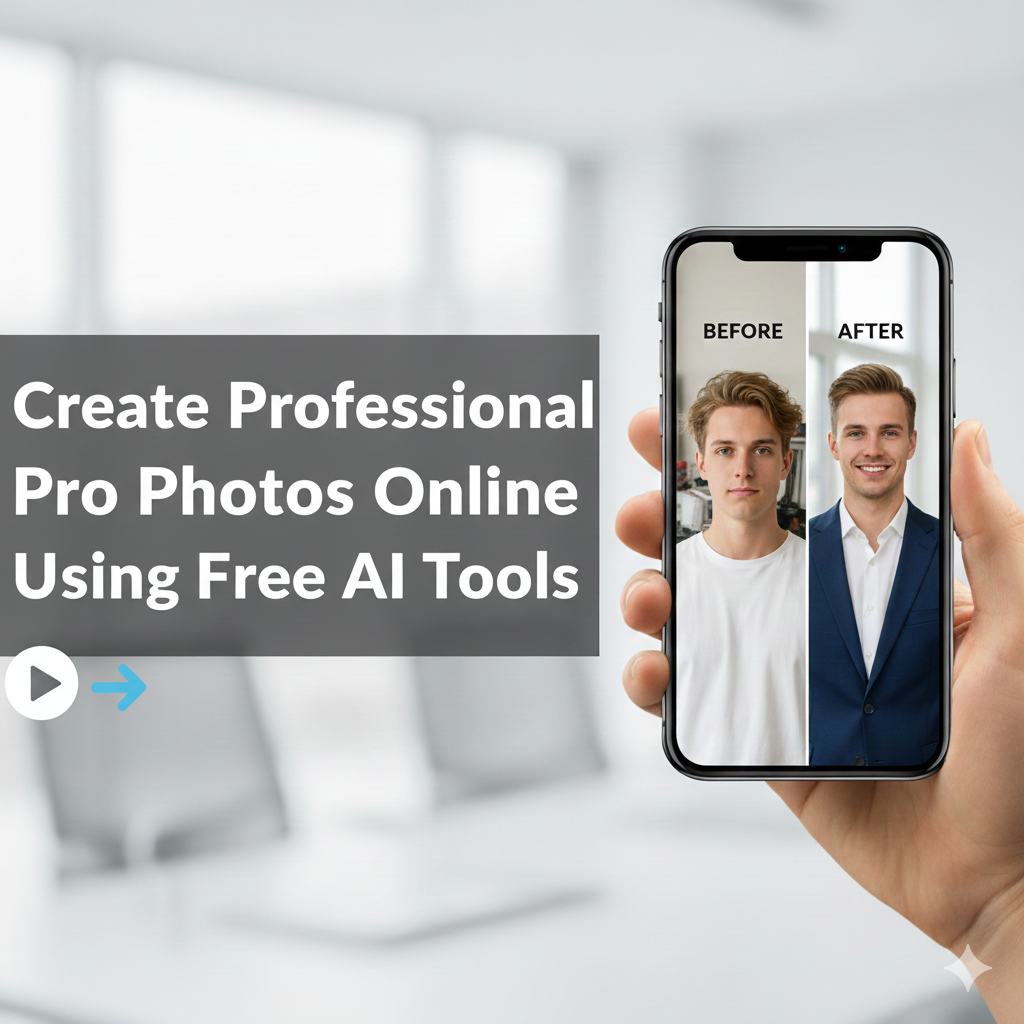
  • Create Professional Pro Photos Online Using Free AI Tools

    Create Professional Pro Photos Online Using Free AI Tools

    Create professional Pro Photo online

    In today’s visually driven digital landscape, the importance of professional photos cannot be overstated. Whether you’re building a brand, seeking a job, or simply looking to enhance your social media presence, high-quality images are essential. Fortunately, the rise of AI has made creating professional photos more accessible and affordable than ever before. Let’s dive in!

    Why Professional Photos Matter in the Digital World

    The Importance of Quality Images

    Quality images are crucial for making a strong first impression, whether it’s on social media or for your LinkedIn profile. A professional photo can significantly enhance your personal brand, communicate professionalism, and build trust with your audience. It is important to choose a perfect photo and upload it to the platform.

    How AI is Revolutionizing Photography

    AI is transforming the photography landscape, offering tools to generate and enhance photos effortlessly. With the help of AI, you can now enhance, create, and generate professional photos without the need for expensive equipment or a professional photographer. This technological revolution is democratizing access to studio-quality images.

    Understanding AI Photo Generation

    AI photo generation involves using AI algorithms to create stunning photos from scratch or to enhance existing images. These tools, often referred to as AI photo generators, can produce realistic, anime, and creative images tailored to your specific needs, using simple text prompts or style references to generate AI.

    Introducing AIPhotoCraft: Your All-in-One AI Photo Solution

    Create Professional Pro Photos Online Using Free AI Tools

    What is AIPhotoCraft?

    AIPhotoCraft is an all-in-one AI photo editor designed to help users create professional photos quickly and affordably. This platform offers a suite of AI-powered tools that cater to various photo editing needs, from enhancing image quality to removing backgrounds and creating unique profile pictures.

    How AIPhotoCraft Makes Professional Photos Accessible

    AIPhotoCraft makes professional photos accessible to everyone, regardless of their photography skills or budget. With user-friendly tools and an intuitive interface, you can generate professional headshots and business photos, enhance personal photos, and generate AI art without needing a professional studio or experience. The AI generator is simple to use.

    Key Features of AIPhotoCraft

    AIPhotoCraft comes packed with features to enhance and transform your photos. These include an AI photo enhancement tool to improve image quality, a Background Remover to remove photo background with AI, an AI face swap feature for creative edits, AI image upscaling to increase resolution, and tools for lighting and color correction, all designed to help you create stunning, professional results.

    Core Features of AIPhotoCraft

    AI Photo Enhancement Tool

    AIPhotoCraft’s AI photo enhancement tool lets you effortlessly enhance your photos and generate professional results. This feature uses advanced algorithms to improve image quality, remove blemishes, and sharpen details, ensuring your photos look their best. Use this AI photo generator to create stunning photos that capture attention. With this tool you can create AI that enhance every aspect of your picture!

    Remove Photo Background with AI

    Need to remove photo background with AI? AIPhotoCraft makes it easy! With just a few clicks, you can isolate your subject and create a clean, professional look, or add a custom background to match your brand’s style. This feature is perfect for product photos, headshots, and creating unique profile pictures for social media. Remove distracting backgrounds, and generate professional photos online.

    AI Face Swap Feature

    Unleash your creativity with AIPhotoCraft’s AI face swap feature. This fun tool allows you to swap faces in photos, creating hilarious and shareable images. It’s perfect for creating AI content, or simply adding a unique twist to your photos. The possibilities are endless with this creative and entertaining feature and is very simple to use.

    AI Image Upscaling

    Don’t let low-resolution images hold you back. Use AI image upscaling from AIPhotoCraft to increase the resolution of your photos and preserve their quality. This tool is ideal for enhancing older photos, creating high-quality prints, or optimizing images for online use. Create professional photos for social media with enhanced clarity and detail.

    Lighting and Color Correction Made Easy

    Get perfect lighting and color in every photo with AIPhotoCraft’s intuitive correction tools. Adjust brightness, contrast, saturation, and more to achieve the perfect look. Whether you’re enhancing personal photos or creating professional business photos, these tools make it easy to achieve stunning, professional results. Enhance your image and create a professional photo.

    Step-by-Step Guide to Creating Pro Photos

    Uploading Your Image

    Start by uploading your image to AIPhotoCraft. The platform supports various image formats, making it easy to upload photos from your computer or mobile device. Choose the photo you want to enhance and get ready to transform it into a professional masterpiece. The simple upload feature allows any user to quickly enhance their picture.

    Using AIPhotoCraft Features

    Once your image is uploaded, explore the various AIPhotoCraft features to enhance your photo. Use the AI photo enhancement tool to improve image quality, remove the background, or try the AI face swap feature for a creative twist. Experiment with different settings to achieve the perfect look for your professional photos, this also generates professional photos that are very user friendly.

    Downloading Your Professional Result

    After you’ve perfected your image using AIPhotoCraft’s features, it’s time to download your professional result. The platform allows you to download your photos in various formats and resolutions, ensuring they’re optimized for your specific needs. Share your AI-generated professional photos on social media, use them for your LinkedIn profile, or create stunning business photos. The downloading process is fast and easy.

    Comparison: AI-Generated Photos vs. Traditional Photography

    Cost Effectiveness

    When considering the cost of obtaining professional photos, AI-generated options often present a more affordable alternative. To illustrate the differences in cost factors, consider the following:

    MethodCost Factors
    Traditional PhotographyStudio rental, photographer fees, equipment costs, and travel.
    AI Photo GeneratorSubscription or per-image fee.

    In contrast, using an AI photo generator to generate professional photos online typically involves a subscription or per-image fee, offering a more cost-effective solution for creating business photos or personal headshots.

    Time Efficiency

    AI photo generators offer significant time savings compared to traditional photography. Consider the time involved in the traditional process versus the speed of AI:

    ProcessTime Investment
    Traditional PhotographyScheduling, photographer waiting time, studio time
    AI-Generated ImagesMinutes to create

    With AI-generated images, you can create AI that match your desired style and have a perfect photo ready in minutes, effortlessly enhancing your online presence and creating unique visuals.

    Convenience of Use

    AI photo generators provide unparalleled convenience. With these tools, generating professional photos becomes incredibly simple. The key benefits can be summarized as follows:

    AdvantageDetails
    AccessibilityGenerate photos from your home or office.
    SimplicityNo need to coordinate schedules or travel.

    This user-friendly approach makes it easy for anyone to generate AI and enhance their images.

    Best Use Cases for AI Professional Photos

    Social Media Profiles

    Your social media profile is often the first impression you make online, and a high-quality photo can significantly enhance your brand. AI-generated professional photos are perfect for creating a professional profile picture that reflects your personality and expertise. Generate AI that is clear and appealing to attract followers and make a lasting impact on social media platforms.

    LinkedIn and Business Photos

    For professionals, a polished LinkedIn profile picture and business photos are essential. AI photo generators can help you create professional photos that convey competence and trustworthiness. These images are ideal for your LinkedIn profile, company website, and marketing materials, ensuring you present a professional image to clients and colleagues. The feature generates professional and high-quality headshots.

    Resumes and Portfolios

    In today’s competitive job market, a professional photo on your resume or portfolio can set you apart. AI can help you create a professional headshot that highlights your skills and experience. Whether you’re applying for a job or showcasing your creative work, a professionally crafted picture can enhance your chances of success. Choose a picture that enhances the resume.

    Product Images and Marketing Materials

    High-quality product images are crucial for attracting customers and driving sales. AI photo generators can create stunning product photos for your online store or marketing campaigns. With AI, you can generate professional images that highlight the features and benefits of your products, and create AI to improve your brand’s image and generate professional results for you.

    FAQs About Creating Professional Photos Using AI

    What is an AI photo generator?

    An AI photo generator is a tool that uses artificial intelligence to generate professional photos. Using this tool, you can create AI from scratch or enhance existing pictures. These generators use algorithms to understand your instructions, often provided through text prompts, and generate professional photos that align with your desired style and aesthetic. These tools make creating business photos easier than ever.

    Can I create unique headshots with AI?

    Yes, you can create unique headshots with AI! AI photo generators offer a variety of styles and customization options to create professional headshots that truly reflect your personality and brand. With the right tool, you can generate professional headshots in minutes, without the need for a professional studio or photographer. This makes it easy to create a perfect profile picture.

    How fast can I generate professional photos?

    AI photo generators are incredibly fast. You can generate professional photos online in a matter of minutes, or even seconds. The exact time will depend on the complexity of the image and the processing power of the platform, but overall, AI offers a significantly faster alternative to traditional photography and editing. It lets you generate professional photos effortlessly and quickly.

    Get Started with AIPhotoCraft

    Encouragement to Try AIPhotoCraft

    Ready to create stunning images and elevate your professional image? AIPhotoCraft is here to help you transform your photos into masterpieces. With its user-friendly interface and powerful features, AIPhotoCraft makes it easy for anyone to generate professional photos. The process of uploading a picture is very simple and fast, and you can instantly enhance your photos and generate professional results.

    Final Thoughts on Creating Stunning AI Images

    Creating professional photos doesn’t have to be expensive or time-consuming. With AIPhotoCraft, you have access to a range of free AI and powerful tools that enable you to generate AI art, enhance personal pictures, and create unique and professional images for all your needs. Embrace the future of photography and unlock your creative potential. The AI generator allows you to generate professional photos effortlessly and improve your brand.

    Call-to-Action: Create Your Pro Photos Today!

    Don’t wait any longer to enhance your visual presence! Try AIPhotoCraft today and experience the power of AI in transforming your photos. Whether you need a professional image for your LinkedIn profile, stunning product photos for your online store, or unique content for social media, AIPhotoCraft has you covered. Generate professional photos now, enhance your picture, and create AI to build your brand. Choose the perfect style and create AI that is appealing for every kind of user!

  • Free AI Headshot Generator: Create Professional Photos Using AI

    Free AI Headshot Generator: Create Professional Photos Using AI

    Free Ai Headshot Generator

    In today’s digital age, a professional photo is more crucial than ever. Whether it’s for your LinkedIn profile, resume, or other online presence, a polished headshot can make all the difference. With the rise of artificial intelligence, creating professional headshots has become more accessible and affordable. An AI headshot generator is an AI tool that transforms your selfies into studio-quality images effortlessly.

    Understanding AI Headshots

    AI headshots are revolutionizing how individuals and businesses approach professional profile images. By leveraging AI technology, these AI-generated images offer a cost-effective and time-saving alternative to traditional photography. Forget expensive studio-quality sessions; now you can create headshots from the comfort of your home using AI. This innovative solution is perfect for anyone looking to enhance their LinkedIn profile or resume with a professional-looking image.

    What is an AI Headshot Generator?

    An AI headshot generator is a platform that utilizes artificial intelligence to generate professional headshots from uploaded photos. This AI tool analyzes your facial features and applies various enhancements to create professional, high-quality headshots. The algorithm behind the AI headshot generator can adjust lighting, remove blemishes, and even change backgrounds to ensure you have a professional AI headshot without the need for a photographer or studio. With a free AI headshot generator, even free AI options are possible.

    How AI-Generated Headshots Work

    The process of creating professional AI headshots with an AI headshot generator is simple. First, you upload your photo, typically a selfie or a casual picture. The AI then analyzes the image, identifies key facial features, and applies a series of enhancements, which can include:

    • Adjusting lighting
    • Sharpening focus and refining the background

    Some AI tools allow you to select different styles and settings to tailor the final result to your preferences, ensuring you get a realistic headshot perfect for your LinkedIn profile or resume. The AI headshot generator creates a professional-looking image in seconds.

    The Importance of Professional Headshots

    A professional headshot is essential for making a strong first impression in today’s competitive world. Whether you’re updating your LinkedIn profile, submitting a resume, or building your online presence, a high-quality headshot can significantly impact how you’re perceived. It conveys professionalism, confidence, and attention to detail. With the help of an AI headshot generator to create a professional AI headshot, you can generate professional images that enhance your personal brand and open doors to new opportunities in your business photos and business AI endeavors.

    Creating Professional AI Headshots

    Creating Professional AI Headshots

    Creating professional AI headshots has never been easier, thanks to advanced AI technology. An AI headshot generator empowers you to create professional images for various purposes, from your LinkedIn profile to your resume. This section provides a comprehensive guide on how to use an AI photo generator effectively. Whether you need a headshot for LinkedIn or other professional platforms, you can effortlessly create one with the right AI tools.

    Step-by-Step Guide to Using an AI Headshot Generator

    To create professional photos using AI, the process involves a few key steps. First, you’ll need to select a reputable AI headshot generator. Then, you’ll proceed with the following actions:

    • Upload your photo, ensuring it’s clear and well-lit.
    • Let the algorithm analyze your image and provide several enhanced versions.

    After the AI has processed your image, review the options and choose the one that best represents your facial features and desired professional profile. Many AI tools allow you to customize aspects like background and lighting, so experiment until you achieve the perfect headshot photo. With the right settings, you can transform your selfies into professional images effortlessly.

    Choosing Multiple Styles for Your Headshot

    One of the key benefits of using an AI headshot generator is the ability to experiment with various styles. Most platforms offer a range of options, from corporate to creative. Try different backgrounds, lighting settings, and even clothing styles to see what resonates best with your personal brand. Having multiple AI-generated headshots allows you to tailor your online presence to different contexts, whether it’s for your LinkedIn profile, resume, or other professional profile. The ability to quickly generate diverse headshots makes the generator an invaluable tool for professionals.

    Ensuring a Consistent Style Across Photos

    Maintaining a consistent style across your headshots is crucial for building a cohesive and professional-looking brand. When using an AI headshot generator, make sure to use similar settings and lighting for all your images. This ensures that your profile pictures have a uniform look, which is especially important for platforms like LinkedIn and your resume. A consistent style helps create a polished and trustworthy image, enhancing your online presence and making you more memorable to potential employers and clients. When using AI, this consistency will create headshots that enhance your brand.

    AI Headshots for LinkedIn and Other Uses

    Why Use AI Headshots for Your LinkedIn Profile?

    In today’s competitive job market, a professional photo on your LinkedIn profile is essential. AI headshots offer a quick and affordable way to create professional headshots that make a strong first impression. Using AI, you can effortlessly transform your selfies into high-quality headshots that enhance your online presence. A professional-looking LinkedIn profile picture can significantly increase your visibility and attract potential employers. With a free AI headshot generator, achieving a polished look has never been easier.

    Other Use Cases for Professional AI Headshots

    Beyond LinkedIn, professional AI headshots are valuable for various applications. Whether you need a headshot for your resume, online presence, or company website, an AI headshot generator provides a versatile solution. Create professional images for your email signature, speaker profiles, or even dating apps. The ability to create professional AI headshots quickly and affordably makes AI a game-changer for anyone looking to enhance their personal or professional brand. Even free AI options can provide impressive results for these diverse needs. Using a photo generator has never been so simple.

    Comparing AI-Generated Headshots to Traditional Photography

    When considering professional headshots, it’s important to weigh the pros and cons of AI-generated headshots versus traditional photography. Traditional studio-quality photography can be expensive and time-consuming, requiring you to schedule a session and potentially travel to a studio. An AI headshot generator offers a more convenient and cost-effective alternative. While traditional photography may offer more customization, AI tools provide impressive results in seconds, making them ideal for those seeking a quick and affordable solution to create headshots. You can upload photos using AI and effortlessly create professional AI generated images that rival traditional photos.

    Key Features of AIPhotoCraft

    Studio-Quality Images at No Cost

    AIPhotoCraft offers studio-quality images without the hefty price tag. Our free AI headshot generator allows you to create professional headshots that look like they were taken in a professional studio, using AI. The algorithm is designed to enhance your facial features, adjust lighting, and refine backgrounds to produce realistic headshot results. With AIPhotoCraft, you can effortlessly transform your selfies into professional images, ensuring you always have a professional-looking photo for your LinkedIn profile or resume, or even business photos. Now you can create professional AI headshots at no cost.

    Versatile AI Tools for Customization

    AIPhotoCraft provides versatile AI tools for complete customization of your AI-generated headshots. Adjust the background, change your attire, and experiment with various styles to achieve the perfect look for your LinkedIn profile or resume. Our platform allows you to fine-tune every detail, ensuring your professional headshots reflect your personal brand. With easy-to-use controls, you can effortlessly create professional images that stand out. Our goal is to provide AI tools that are very simple to use. Create professional AI headshots that truly represent you.

    Benefits of Using AIPhotoCraft for Your Headshot Needs

    Choosing AIPhotoCraft for your headshot needs offers numerous benefits. Our AI headshot generator creates professional AI headshots quickly and affordably, saving you time and money compared to traditional photography. The platform is user-friendly, making it easy to upload your photo and generate professional images in seconds. With AIPhotoCraft, you can maintain a consistent and professional profile across all your online presence, enhancing your personal brand and opening doors to new opportunities using a photo generator and AI business acumen. There are AI headshots in seconds.

    Frequently Asked Questions

    What is a Free AI Headshot Generator?

    A free AI headshot generator is an AI tool that uses artificial intelligence to create professional headshots from uploaded photos without charging a fee. This platform allows you to upload your photo, and the algorithm then analyzes your facial features to generate professionallooking AI-generated headshots. It’s a convenient and cost-effective way to obtain a professional headshot for your LinkedIn profile or resume, and it allows you to create professional AI headshots effortlessly using AI.

    How Are AI-Generated Headshots Created?

    AI-generated headshots are created through a sophisticated process involving artificial intelligence. First, you upload photos to the AI headshot generator platform. The algorithm then analyzes your facial features and applies various enhancements to create professional headshots. This includes adjusting lighting, refining the background, and ensuring a professionallooking result. You can often customize the style to match your preferences, resulting in high-quality headshots perfect for your LinkedIn profile or resume. Using AI, you can create professional AI headshots.

    Can I Use AI Headshots for Commercial Purposes?

    Whether you can use AI headshots for commercial purposes depends on the terms of service of the platform using AI. Many free AI headshot generator tools allow for commercial use, but it’s crucial to review the specific usage rights. Ensure that you have the necessary permissions to use the AI-generated headshots for business-related purposes, such as marketing materials or company websites. Confirming these rights will help you create professional and legally compliant AI business assets to create professional headshots. With AI headshots in seconds, it’s the simplest solution.

    Getting Started with AIPhotoCraft

    How to Access the Free AI Headshot Generator

    Accessing the free AI headshot generator on AIPhotoCraft is straightforward. Visit our website and locate the AI headshot generator tool. From there, you can upload your photo directly to the platform. The algorithm will then guide you through the process of creating professional AI headshots. No special software or technical skills are required. It’s all designed to be user-friendly, ensuring that anyone can effortlessly create professionallooking profile pictures for their LinkedIn profile or resume using AI.

    Tips for Achieving the Best Results

    To achieve the best results with an AI headshot generator, start with a clear, well-lit photo of your facial features. It’s important to focus on key aspects when selecting your source images:

    • Ensure that your face is fully visible and that the image is not blurry.
    • Experiment with different styles and settings on the platform to find the look that best suits your professional profile.

    Consider the background and lighting options to create professional headshots that align with your brand. With a little experimentation, you can effortlessly transform your selfies into professional images. Create professional AI headshots today.

    Encouragement to Try AIPhotoCraft Today

    Ready to elevate your online presence with a professional photo? We encourage you to try AIPhotoCraft’s free AI headshot generator today. Upload your photo and experience how easy it is to create professional AI headshots in seconds. Whether it’s for your LinkedIn profile, resume, or other professional profile, our AI tool can help you make a lasting impression. Join countless others who have discovered the convenience and affordability of using AI to enhance their personal brand and create headshots effortlessly. Why wait? Begin your journey with our photo generator now.

  • AI Avatar Creator: Free AI Avatar Maker and Avatar Generators

    AI Avatar Creator: Free AI Avatar Maker and Avatar Generators

    Ai Avatar Creator

    Create stunning avatars with AI Photo Craft! Our AI Avatar Creator lets you quickly make realistic, cartoon, and professional avatars. No design skills needed. Turn your photos or ideas into unique digital identities in seconds. Start creating your new avatar today!

    What is an AI Avatar Creator?

    Definition of AI Avatars

    An AI avatar is a digital representation of you, created using artificial intelligence. It’s a virtual version of yourself. An avatar can be realistic or stylized, like a cartoon. Use your AI avatar as a profile picture on social media, in games, or for business. With our tool, you can personalize your avatar.

    How AI Avatar Generators Work

    AI avatar generators use advanced AI to create avatars from photos or text. Simply upload a photo, and the AI analyzes your facial features. Or, describe the avatar you want, and the AI generates it. Our avatar creator offers multiple avatar styles. Then, you can customize the background. It’s easy to use!

    Benefits of Using an Avatar Creator

    Using an AI avatar creator saves time and money. No need for expensive designers. Create a consistent digital identity across all platforms. Use your avatar for your profile or business. With our online tool, you can create free avatars quickly. It’s available for free; no need to search Google Play.

    Avatar Creator: Free AI Avatar Maker & Avatar Generators

    Create stunning avatars with AI Photo Craft! Our AI Avatar Creator lets you quickly make realistic, cartoon, and professional avatars. No design skills needed. Turn your photos or ideas into unique digital identities in seconds. Start creating your new avatar today!

    What is an AI Avatar Creator?

    Definition of AI Avatars

    An AI avatar is a digital representation of you, created using artificial intelligence. It’s a virtual version of yourself. An avatar can be realistic or stylized, like a cartoon. Use your AI avatar as a profile picture on social media, in games, or for business. With our tool, you can personalize your avatar.

    How AI Avatar Generators Work

    AI avatar generators use advanced AI to create avatars from photos or text. Simply upload a photo, and the AI analyzes your facial features. Or, describe the avatar you want, and the AI generates it. Our avatar creator offers multiple avatar styles. Then, you can customize the background. It’s easy to use!

    Benefits of Using an Avatar Creator

    Using an AI avatar creator saves time and money. No need for expensive designers. Create a consistent digital identity across all platforms. Use your avatar for your profile or business. With our online tool, you can create free avatars quickly. It’s available for free; no need to search Google Play.

    Features of the Free Avatar Maker

    Multiple Avatar Styles

    Our free avatar maker provides multiple styles to create your own avatar. Choose from realistic, cartoon, or 3D avatars. You can also create anime avatars. It’s easy to use and personalize your avatar’s looks. Find the perfect template to match your personality. Our AI avatar creator offers endless possibilities for your avatar.

    Face Accuracy and Realism

    Our AI ensures high face accuracy and realism in every avatar. The avatar creator captures your facial features precisely. This creates a personalized avatar that looks just like you. You can create realistic avatars for professional use, or make a cartoon avatar for social media, and your new avatar will look great.

    Background Customization Options

    Customize the background of your avatar with our avatar creator. Choose from a variety of backgrounds, or upload your own custom image. Our tool lets you edit and personalize every detail. Make your avatar stand out on social media. With our free avatar maker, background customization is easy and fun. The digital customization is great.

    Using the AI Avatar Maker

    AI Avatar Maker

    Step-by-Step Guide to Create Your Own Avatar

    Creating an avatar with our online tool is straightforward. The process involves a few simple steps:

    1. Upload a photo or describe your desired look.
    2. Customize your avatar using our editor, where you can add accessories and adjust facial features.
    3. Download your new avatar.

    You can then use this personal avatar on social media. It’s a free avatar maker.

    Choosing from a Wide Range of Templates

    Our AI avatar creator offers a wide range of templates. Find the perfect template to start your design. Our free avatar maker has templates for every style. This includes cartoon and realistic options. Customize the template to create a personalized avatar. Making an avatar that looks great is super easy.

    Personalizing with Accessories and Details

    Personalize your avatar with various accessories. Add glasses, hats, or jewelry. Adjust the details of your facial features. Our online tool lets you edit every aspect. Make an avatar that truly represents you. Our character creator offers endless options to customize. It’s easy to use and available for free.

    Practical Use Cases for Avatars

    Creating Profile Pictures

    Use an AI avatar creator to make your profile picture stand out. A personalized avatar can represent you on social media. It’s easy to use a cartoon avatar or a realistic avatar as your profile. With our free avatar maker, you can create a new avatar in seconds. Simply upload a photo and customize your avatar’s looks for great avatar online presence.

    Using Avatars for Social Media

    Enhance your social media presence with a unique avatar. Use an AI avatar generator to create a personalized avatar. Then, customize your avatar to match your style. A cartoon avatar can add a fun touch. A realistic avatar can create a professional image. With our online tool, creating a social media avatar is easy and free. A great avatar can also be used as an emoji.

    Avatars in Gaming and Business Profiles

    Avatars are perfect for gaming and business profiles. Use an AI avatar creator to make your own character. You can personalize your avatar’s looks. Create an avatar that represents your gaming persona. A professional avatar can enhance your business profile. Our free avatar maker offers easy-to-use, 3D avatar options. There are no design skills required to personalize your avatar with this online tool.

    Why Choose AI Photo Craft?

    High-Quality Outputs for Branding

    AI Photo Craft ensures high-quality outputs for your branding needs. Create realistic avatars that reflect your brand’s identity. Our avatar creator helps maintain a consistent digital presence. You can customize your avatar with your brand’s colors and logos. Use our online tool to create free avatars for your marketing campaigns. With the personalized avatar look, you may attract new customers.

    Time-Saving and Cost-Effective Solutions

    AI Photo Craft provides time-saving and cost-effective avatar solutions. No need to hire expensive designers. Our free avatar maker lets you create stunning avatars quickly. It’s easy to use and available for free. With our online tool, you can create free avatars in minutes. Enjoy making your own character for free today.

    Call-to-Action: Try AI Photo Craft Today!

    Ready to create your perfect avatar? Try AI Photo Craft today! Our AI avatar creator makes it easy to design a unique digital identity. Create free avatars in seconds with our online tool. Customize your avatar with various styles and accessories. Start creating your personalized avatar now for free!

  • AI Product Photography: Tips for Perfect Product Photos

    AI Product Photography: Tips for Perfect Product Photos

    AI Product Photography: Tips for Perfect Product Photos

    Do you want great product photos for your online store? AI product photography can help! It’s a new way to get professional-looking product photos using artificial intelligence. No need for a fancy photo studio or a product photographer. Let’s explore how AI can make your product photography shine.

    Understanding AI Product Photography

    What is AI Product Photography?

    AI product photography uses technology to create high-quality product images. Instead of a traditional product photoshoot, AI tools generate product photographs. You can get professional product photos with a clean background and perfect lighting without needing a photography studio. AI product photography is excellent for anyone who needs product photography for eCommerce but wants to save time and money.

    How Does It Work?

    AI product photography is simple. You upload a product image, and the AI does the rest. It can replace backgrounds with a white background or add props to create lifestyle photos. The AI adjusts the lighting to ensure the best light and creates natural shadows. This process gives you high-quality images that look like they were taken in a professional photography studio. It’s like having a product photographer at your fingertips.

    Benefits of AI Product Photography

    There are many benefits to using AI for product photography. It saves time and is also cost-effective. AI helps you quickly morph images to fit different online store formats. You get professional product photos ready for your product page, helping you attract more customers.

    Types of Product Photography

    Types of Product Photography

    Different Styles of Product Photography

    Product photography includes several approaches, each tailored for a specific goal. To illustrate some common techniques:

    • Studio shots typically employ a white background to ensure the product remains the central focus.
    • Lifestyle photos demonstrate the product in a real-world context, frequently incorporating props and models to enhance the presentation and help potential customers visualize themselves using the product.

    Detailed shots call attention to particular aspects of the product, and group shots present several items in a single frame. Selecting the most suitable style is crucial for meeting your product photography objectives, and each type requires different product photography lighting and photography services.

    Choosing the Right Type for Your Needs

    Selecting the right type of product photography depends on your goals. For online stores, clean, high-quality product photos with a white background are essential. If you want to showcase how a product fits into daily life, lifestyle photos are ideal. For highlighting intricate details, focus on detailed product shots. Consider your target audience and platform when deciding. Knowing which style suits your product best can significantly enhance your product page and attract more customers. Great product photos and professional-looking product photos, therefore, are very important.

    Product Photography for eCommerce

    Product photography for eCommerce is crucial for attracting customers. High-quality images help shoppers make informed decisions. Clean, professional product photos with accurate colors and details are key. Using a white background ensures the product is the main focus. Optimize your product images for fast loading times to improve the shopping experience. Showcase your product from different angles, highlighting its best features. With the help of an AI product photo generator, you can morph images without product photography setup and still get professional product photos and high-quality images.

    Setting Up Your AI Product Photo Shoot

    The Importance of Lighting

    Proper product photography lighting is crucial for high-quality product photos. Understanding the best light sources can transform a beginner’s product image into a professional product photo. Whether you use natural light or artificial light, consistent lighting helps showcase your product in use and enhances its features. Soft lighting minimizes harsh shadows, creating a clean background and visually appealing product shots. Investing in a good product photography lighting setup will significantly improve your eCommerce photography.

    Creating a DIY Product Photography Studio

    Building a DIY product photography studio doesn’t have to break the bank. Start with a seamless background, like a white background, to keep the focus on your product. Use soft lighting from multiple sources to minimize shadows. Repurpose household items as props to add visual interest. A simple product photography setup can drastically improve your product photographs. With a little creativity, you can achieve professional-looking product photos without needing a professional photography studio or the expenses of photography services.

    White Background vs. Styled Backgrounds

    Choosing between a white background and styled backgrounds depends on your product photography goals. White background shots are ideal for e-commerce. Styled backgrounds can add context and personality, making your product more relatable. For online stores, a white background is often preferred for its simplicity and consistency. However, lifestyle photos with props can create a sense of product in use, attracting more customers. The key is choosing the background that best complements your product and brand.

    Tips to Make High-Quality Product Photos

    Essential Product Photography Tips

    To get great product photos, there are essential product photography tips every beginner should know. Here are a few things to keep in mind:

    • Ensure your product is clean and well-lit.
    • Use a tripod to prevent blurry product images.

    Experiment with different angles to find the most flattering product shots. Pay attention to detail and correct any imperfections in post-processing. These product photography tips will help you create professional product photos that attract customers and boost sales. Using natural light whenever possible ensures the best light.

    Using AI Tools for Better Results

    AI tools can significantly enhance your product photography efforts. An AI product photo generator can automatically replace backgrounds and adjust product photography lighting for optimal results. Use AI image enhancers to sharpen images and remove imperfections. These tools make it easier to achieve professional product photos without extensive photography skills. AI can also help you morph images, create consistent product shots, and save time on editing. Embrace AI to streamline your product photography and create high-quality images.

    Customizing Your Product Images

    Customizing your product image is vital for branding. Use AI tools to add your logo or create unique backgrounds that reflect your brand’s identity. Adjust colors and tones to match your brand’s aesthetic. Ensure consistency across all product shots to create a cohesive look. Customization helps your product stand out and reinforces your brand image. With AI, customizing is easy, allowing you to create professional-looking product photos that resonate with your target audience and reflect your brand values for your product page.

    Real-World Applications of AI Product Photography

    For Online Stores and Amazon Sellers

    For online stores and Amazon sellers, AI product photography is a game-changer. High-quality product photos are essential to attract customers and increase sales. With AI, you can easily create professional product photos with a clean background, ensuring your product is the main focus. AI tools can also automatically optimize product photography lighting, making your product page more appealing. By using AI, you can save time and money on product photoshoots and photography services while still getting high-quality images that boost your online presence and provide great product photos to your potential customers.

    Enhancing Social Media Ads

    Enhance your social media ads with AI product photography. Compelling product shots are vital for capturing attention and driving engagement. AI can help you create eye-catching product images with the best light and professional-looking product photos, making your ads stand out. Experiment with lifestyle photos and props to showcase your product in use and appeal to your target audience. AI product photography lighting adjustments also ensure that your product always looks its best. High-quality product photography can significantly improve the performance of your social media campaigns, leading to more clicks and conversions.

    Creating Product Catalogs and Websites

    Creating product catalogs and websites becomes easier with AI product photography. Present your products with professional product photos that highlight their best features. Use high-quality product photography to ensure that your product images are visually appealing and consistent. AI tools can help you maintain a clean background and optimize product photography lighting, giving your catalog a professional look. You can also morph images and create lifestyle photos to showcase your products in different settings, enhancing the overall appeal of your website. This will improve your product photography for your eCommerce and increase customer satisfaction.

    Conclusion and Next Steps

    Why Choose AI Photo Craft?

    Choosing AI Photo Craft means opting for efficiency and quality. Our tool helps beginners and professionals alike create high-quality product photography without an expensive photography studio or a complicated product photography setup. With features like AI background replacement and automatic lighting adjustments, you can get professional product photos in minutes. AI Photo Craft simplifies the process, allowing you to focus on other aspects of your business. Transform your product photography and experience the best light with our user-friendly platform.

    Getting Started with AI Photo Craft

    Getting started with AI Photo Craft is easy. Simply upload your product image, and our AI will handle the rest. You can choose from various customization options, such as background replacement and product photography lighting adjustments, to achieve the desired look. Experiment with different settings to create unique product shots that highlight your product’s best features. Our user-friendly interface ensures a smooth experience, even for those new to AI product photography. Create high-quality images for your product page and stand out from the competition.

    Call to Action: Try AI Photo Craft Today!

    Ready to transform your product photography for your eCommerce? Try AI Photo Craft today and experience the difference. Create professional-looking product photos in minutes without needing a product photographer or a photography service. Our AI-powered tool simplifies the process, allowing you to focus on your business. Get high-quality images that attract customers and boost sales. Sign up now and discover the power of AI in product photography, and create great product photos!

  • AI Object Remover: Remove Unwanted Objects from Photos Online

    AI Object Remover: Remove Unwanted Objects from Photos Online

    Ai Object Remover

    Have you ever taken the perfect photo, only to find an unwanted object photobombing your shot? Maybe it’s a stray tourist in a scenic landscape, a power line cluttering a beautiful sky, or an ex that you want to remove from a cherished memory. With AIPHOTOCraft’s AI Object Remover, you can easily remove unwanted objects from photos online and achieve picture-perfect results in just one click!

    What is AI Object Removal?

    Understanding the Concept of AI in Photo Editing

    AI, or artificial intelligence, is changing how we edit photos. Traditional photo editing can be time-consuming and requires skill. AI technology offers a simpler way. AI photo editors can now analyze images and automatically identify unwanted elements, like a blemish on a face or an object you want to remove from a landscape. This makes photo editing accessible to everyone, regardless of their experience.

    How AI Works for Removing Unwanted Objects

    The AI object remover uses advanced AI technology to analyze the surrounding area of the unwanted object. When you select an object you want to remove, the AI intelligently fills in the space. It does this by using the colors, textures, and patterns from the nearby pixels to seamlessly replace the unwanted element. This generative AI technology ensures the object removal is smooth and natural-looking, as if the object was never there!

    Benefits of Using AI for Object Removal

    Using an AI object remover offers several advantages. In particular, it allows you to:

    • Remove unwanted objects from your photos, like distracting elements.
    • Erase people from photos or even remove watermarks.

    AI object removal helps clean up pictures, creating visually appealing images for personal or professional use. If you want to remove objects from your photos online, AI offers a fast, efficient, and user-friendly solution, even if you want to remove backgrounds.

    How to Remove Unwanted Objects from Photos

    How To Remove Unwanted Objects from Photos

    Step-by-Step Guide Using AIPHOTOCraft

    Using AIPHOTOCraft’s AI Object Remover is incredibly simple. You don’t need any special photo editing skills to achieve professional-looking results. This guide will walk you through removing unwanted objects from your photos in just a few easy steps. Whether you want to remove text, unwanted objects, or people, AIPHOTOCraft makes it easy and fast to clean up your images.

    Uploading Your Photo

    Here’s how to begin using AIPHOTOCraft. First, visit its website and find the AI Object Remover tool, where you’ll discover an intuitive interface. Then:

    • Click the “Upload Image” button to choose the photo you wish to edit.
    • AIPHOTOCraft accepts a range of image formats, making it simple to upload your images.

    This simple process allows you to quickly start removing objects with AI.

    Selecting and Removing the Object

    Once your photo is uploaded, use your mouse or finger (on touch devices) to highlight the unwanted object you want to remove. The AIPHOTOCraft object remover provides a user-friendly selection tool that allows you to accurately select the object you want to erase. After selecting the object, click the “Remove” button. The AI will then process the image and seamlessly remove the object from the photo.

    Downloading the Cleaned Photo

    After the AI has finished processing, you can preview the cleaned photo. If you’re happy with the results, simply click the “Download” button to save the edited image to your device. The downloaded photo will be free of the unwanted object, giving you a clean and professional-looking image. With AIPHOTOCraft, it’s never been easier to remove any unwanted objects and improve your photos!

    Key Features of AIPHOTOCraft Object Remover

    Fast and Efficient Results

    AIPHOTOCraft’s AI object remover delivers fast and efficient results, saving you time and effort. The advanced AI technology swiftly analyzes your photo and seamlessly removes unwanted elements in seconds. Unlike traditional photo editing methods, you don’t have to spend hours manually editing your images. With the AI object remover, you can effortlessly remove unwanted objects and get clean, professional-looking photos with just one click.

    No Editing Skills Required

    One of the best features of the AIPHOTOCraft AI object remover is that it requires absolutely no editing skills. You don’t need to be a professional photo editor to achieve amazing results. The intuitive interface and AI-powered technology do all the work for you. Simply upload your photo, select the object you want to remove, and let the AI photo editor do its magic. It’s that easy to remove unwanted objects and get perfect photos every time.

    Online Access for Free

    AIPHOTOCraft provides online access for free to its AI object remover. You can remove objects from photos online without downloading any software or paying for expensive subscriptions. Simply visit the AIPHOTOCraft website, upload your photo, and start removing unwanted objects. The online accessibility makes it convenient for anyone to clean up pictures quickly and easily. Remove unwanted objects from your photos online anytime, anywhere, completely free of charge.

    Common Use Cases for Removing Objects

    Travel Photos

    Travel photos often capture amazing moments, but sometimes unwanted objects can spoil the shot. The AI object remover is perfect for cleaning up your travel memories. You can remove people, erase unwanted signs, or get rid of distracting elements in the background. Effortlessly remove unwanted objects and create stunning travel photos that truly capture the beauty of your adventures. With the magic eraser, your travel photos can be pristine and perfect.

    Product Photos for Better Marketing

    If you’re selling products online, clean and professional-looking photos are essential. Use the AI object remover to remove unwanted objects from your product photos and enhance their appeal. Removing unwanted items, cleaning up backgrounds, or erasing distracting elements will make your products stand out. High-quality product photos lead to better marketing and increased sales. Remove any unwanted objects and make your products shine with professional-quality images.

    Enhancing Portraits

    Portraits capture special moments with loved ones, but sometimes unwanted objects can detract from the focus. The AI object remover is a great tool for enhancing portraits and ensuring the spotlight remains on the subject. You can erase people from photos, remove unwanted blemishes, or clean up the background for a more polished look. Easily remove unwanted objects and create beautiful portraits that you’ll treasure forever. With the AI photo editor, your portraits will always look their best.

    Frequently Asked Questions

    Is it Free to Use AIPHOTOCraft?

    Yes! AIPHOTOCraft’s AI object remover is available online for free. You can easily remove unwanted objects from your photos without any subscription fees. The AI object remover allows you to effortlessly remove unwanted objects and clean up your pictures without spending a dime. You can remove objects from photos online and enjoy the benefits of AI technology completely free of charge, using it as a magic eraser.

    Are My Photos Safe?

    AIPHOTOCraft prioritizes the safety and privacy of your photos. When you use the AI object remover, your images are processed securely and are not stored long-term. We use advanced AI technology to ensure that your data is protected. You can confidently remove unwanted objects from your photos, knowing that your privacy is respected. It’s easy to remove unwanted objects, and your photos are safe.

    Can I Remove People and Other Objects?

    Yes, you can! The AI object remover is versatile and can remove people and other objects from photos online. Whether it’s removing unwanted people from a travel photo or getting rid of distracting elements in product photos, the tool is designed to handle various object removal tasks. You can easily remove unwanted objects and achieve clean, professional-looking results with this AI photo editor.

    Do I Need Any Skills to Use This Tool?

    No special skills are needed to use the AIPHOTOCraft AI object remover. The tool is designed to be user-friendly, with an intuitive interface that anyone can use. You don’t need any photo editing experience to effortlessly remove unwanted objects from your photos. Simply upload your photo, select the object you want to remove, and let the AI photo editor do the rest. It’s that easy to clean up pictures.

    Conclusion: Try AIPHOTOCraft AI Object Remover Online

    Ready to say goodbye to unwanted objects in your photos? AIPHOTOCraft AI Object Remover makes it easy to remove unwanted elements and clean up your images with just one click. Whether it’s removing unwanted people, erasing distracting objects, or enhancing product photos, our AI technology delivers fast, efficient, and professional results. Remove objects from photos online and experience the magic of AI today!

    Start Cleaning Up Your Photos Today

    Don’t let unwanted objects ruin your perfect shots. With AIPHOTOCraft, you can easily remove unwanted objects from your photos online and create stunning images that truly shine. Our AI object remover is free, user-friendly, and delivers impressive results every time. Start removing unwanted objects from your photos today and see the difference for yourself. Remove unwanted objects and bring out the best in your photos!

    Explore Other Tools Like AI Photo Enhancer and AI Background Remover

    AIPHOTOCraft offers a range of AI-powered tools to enhance your photos. For example, you can use tools like:

    Need to change a background? Our AI Background Remover can help you easily remove backgrounds from photos. Explore our suite of tools and effortlessly remove unwanted objects, swap faces, enhance colors, and create stunning visuals with AI.

  • Free AI Image Generator: Create Images from Text with an AI Image Generator

    Free AI Image Generator: Create Images from Text with an AI Image Generator

    Free Ai text to image generator

    Welcome to the world of AI image generation! In this article, we’ll explore how you can harness the power of a free AI image generator to create stunning visuals from simple text prompts. Whether you’re a seasoned designer or a complete beginner, understanding how to use AI to generate images opens up a realm of creative possibilities.

    Understanding AI Images and Image Generation

    What are AI Images?

    AI images are visuals created by an AI generator, leveraging AI technology and AI models. These AI-generated images are born not from a camera or a painter’s brush, but from algorithms trained on vast datasets. The AI image generator allows users to transform text prompts into photorealistic or artistic images. An image creator can provide a text prompt, and the AI will generate AI images based on that instruction. The quality and style can vary, but the underlying principle remains the same: AI transforms data into visual content.

    The Process of Image Generation

    The process of image generation begins with a text prompt, also known as text-to-image, where a user inputs a description into the free AI image generator. The AI model interprets this text, breaking it down into components like objects, colors, and styles. The AI generator then uses its learned knowledge to generate AI images that match the description. Advanced AI features allow for further refinement, such as adjusting the aspect ratio, image style, or even incorporating a reference image to guide the AI towards a specific aesthetic.

    Benefits of Using an AI Image Generator

    Here are several reasons why using an AI image generator can be beneficial. It offers advantages such as:

    • Creating images from text quickly and efficiently, saving time and resources
    • Accessibility to everyone, regardless of their design skills
    • Opening doors to experimentation and creativity, enabling you to morph and swap elements

    With a text to image tool, the possibilities are endless for free users seeking to generate AI art and create AI images.

    How to Use the Free AI Image Generator

    Getting Started with Text to Image Conversion

    To start, visit a free AI image generator platform. Many AI image generator options are available online, including those with a free plan. The first step involves understanding the interface. Look for the text prompt box where you can type your description. Think of a concept for your AI images, such as a “photorealistic sunset over a calm ocean.” This text-to-image conversion is the core of how these tools operate, allowing you to use AI to create images from text.

    Crafting Effective Prompts for Unique Images

    The key to generating high-quality AI images lies in crafting effective prompts. Be specific and descriptive in your text prompt. Instead of saying “a cat,” try “a fluffy ginger cat wearing sunglasses sitting on a beach.” Include details about the environment, style, and mood you want to use the image for. The more details you provide, the better the AI image generator can understand your vision and generate AI images that meet your expectations. Don’t hesitate to refine your prompt and experiment with different variations to achieve the desired results.

    Tips for Generating High-Quality AI Images

    To generate AI images of the highest quality, consider a few tips. Use descriptive language in your text prompt, specifying details like lighting, color palettes, and artistic styles. If you have a reference image, many AI image generator platforms allow you to upload an image to guide the AI model. Take advantage of AI features to refine your results, adjusting parameters like aspect ratio and style. Don’t be afraid to morph and swap elements or replace entire sections of the image to perfect your visual creation, creating stunning visuals with ease.

    Features of Leading AI Image Generators

    Exploring Generator Features

    The best AI image generator offers a range of features to enhance the image generation workflow. These features often include customizable aspect ratio settings, allowing users to generate AI images in various sizes suitable for different platforms. The AI image generator allows users to upload an image as a reference image, guiding the AI model to create images based on a specific style or composition. Advanced image editor capabilities let users refine the generated AI images, adjusting colors, and adding details to morph the images to achieve desired effects.

    Comparing the Best AI Image Generators

    When comparing the best AI image generators, several factors come into play. The AI art generator’s ability to generate AI images from text is crucial, as is the quality and photorealistic nature of the output. Different AI models offer varying strengths; some excel at creating AI art, while others are better suited for generating AI images. It’s also important to assess the range of AI features available, such as the ability to refine the text prompt and the ease of use of the image generator’s interface for generating stunning visuals.

    Cutting-Edge AI Models for Image Generation

    Cutting-edge AI models are at the heart of advanced image generation. These AI models are trained on vast datasets, enabling them to generate AI images with remarkable detail and realism. The AI image generator leverages these AI models to interpret the text prompt and translate it into a visual representation. The latest advancements in generative AI have led to more sophisticated algorithms that can generate AI art with a higher level of creativity and nuance, allowing users to create AI images that push the boundaries of artistic expression, helping to use AI to create images from text.

    Applications of AI Generated Images

    Creating Artwork and Social Media Content

    The versatility of an AI image generator shines when creating artwork and social media content. With a simple text prompt, you can generate images ranging from abstract AI art to photorealistic scenes. The free AI image generator allows users to create AI images that capture attention. Artists can use AI technology to quickly generate AI images, experimenting with different styles and concepts. The AI image generator allows you to produce stunning visuals for social media posts, ads, or even personal projects, saving time and resources. The ability to morph and swap elements lets you create unique, eye-catching content, and elevate your online presence.

    Using AI Images for Marketing and Ads

    AI images are revolutionizing marketing and advertising. An AI image generator allows marketers to generate images for campaigns quickly and affordably. Instead of relying on expensive photoshoots, you can use AI to create images from text, tailoring visuals to specific demographics and messages. The best AI can generate AI images that engage potential customers. The ability to refine the generated AI images ensures they align with your brand’s aesthetic. From product visuals to banner ads, the free AI image generator empowers marketers to craft compelling, cost-effective campaigns that generate leads and drive sales, creating stunning visuals for ads and marketing materials.

    Enhancing Blogs and Product Visuals

    Bloggers and e-commerce businesses can greatly benefit from using an AI image generator to enhance their content. High-quality visuals can increase engagement and help convey your message more effectively. The AI image generator allows you to generate images that complement your text, making your blog posts more appealing. An image creator can create AI images for product descriptions, showcasing your items in the best possible light. By providing a detailed text prompt, you can generate AI images that accurately represent your product’s features and benefits. This also helps to create AI images that draw customers to your blog or store.

    Frequently Asked Questions about AI Image Generation

    How Does an AI Image Generator Work?

    An AI image generator operates through a complex process involving AI models and algorithms. The process starts with a text prompt provided by the user, which the AI model interprets to understand the desired visual content. The AI image generator then searches its vast database of images and styles, using AI technology to generate AI images that align with the text prompt. The AI then refines these generated AI images, adjusting details such as colors, textures, and composition to create a final image. This text-to-image conversion allows users to create stunning visuals without needing traditional design skills.

    What Makes a Good Prompt for Image Creation?

    Crafting a good text prompt is essential for generating high-quality AI images. A successful text prompt should be specific, descriptive, and clear. Instead of a vague description like “a flower,” provide more details such as “a photorealistic red rose with water droplets on its petals.” A good text prompt should also include details about the desired style, lighting, and composition. Experimenting with different prompts and refining them based on the AI image generator’s output is key to achieving the desired result. The best AI can create AI images based on your specific details.

    Can I Use AI Generated Images Commercially?

    The commercial use of AI-generated images depends on the specific platform and its terms of service. Many free AI image generator platforms allow you to use AI images for commercial purposes, provided you adhere to their guidelines. However, it’s crucial to check the licensing agreements to ensure you have the right to use AI images for your intended purposes. Some platforms may require attribution, while others may have restrictions on certain types of commercial use. Be sure to understand the terms before incorporating AI images into your marketing materials or products, especially if you morph, swap, or replace parts of the original images.

  • AI Face Swap Online: Swap Multiple Faces for Free

    Ai Face swap Online

    Want to see what you’d look like with a different face? Or maybe you want to create a hilarious meme with your friends’ faces swapped? With our AI Face Swap Online tool, you can easily swap faces in photos for free! Discover the magic of AI and transform your photos with just a few clicks. This tool allows you to replace faces seamlessly, creating fun and engaging content. Let’s dive in!

    What is AI Face Swap?

    AI face swap is a technology that uses artificial intelligence to replace one face in an image with another. This advanced AI process involves detecting faces within a photo and then seamlessly overlaying a new face onto the original one. The result is a realistic and often humorous transformation that can be achieved with ease.

    Understanding Face Swap Technology

    Face swap technology relies on complex algorithms to analyze facial features such as eyes, nose, and mouth. The AI face swap technology then maps these features onto the new face, ensuring a seamless and natural-looking transition. This technology has evolved significantly, making it possible to achieve high-quality results even with free online tools. This is used to analyze and replace faces, while also mapping certain facial features such as the eyes, nose, and mouth.

    How AI Face Swap Works

    Here’s how the face swap process generally works:

    1. First, you upload a photo to the tool, and the AI detects the faces in it.
    2. Once identified, you select the face you want to replace and the replacement face.

    The AI then merges these faces, carefully adjusting for factors like skin tone and lighting for a realistic result.

    Benefits of Using AI Face Swap

    There are numerous benefits to using an AI face swap. It’s a fun and creative way to generate memes and social media content. You can also use it to create unique profile pictures or simply to see what you would look like with someone else’s face. Whether it’s a simple face changer or a multiple face swap, the possibilities are endless. This free AI face swap tool is both entertaining and practical.

    How to Use the AIPHOTOCraft Face Swap Tool

    AI Couple face swap

    AIPHOTOCraft offers a user-friendly AI face swap tool that makes it easy to swap faces online. With its advanced AI features, you can create seamless face swaps in just a few simple steps. It also offers a free online face swap for a quick way to swap faces. Here’s how to get started with this AI tool and its face swap feature:

    Step-by-Step Guide to Swap Faces Online

    Here’s how to use the AIPHOTOCraft face swap tool. The process is quite straightforward and involves these steps:

    1. Upload a photo to the AIPHOTOCraft face swap tool.
    2. Identify the faces you want to swap. Select the target face and the replacement face.

    Click the “Swap” button, and let the AI work its magic. Finally, download your newly transformed image and share it with friends!

    Swapping Multiple Faces with Ease

    AIPHOTOCraft’s AI face swap tool is adept at handling multiple faces, making it perfect for group photos. Simply upload your group photo, identify all the faces you want to swap, and select the new faces for each. With just a few clicks, you can create hilarious and shareable content that will entertain everyone. The multiple face swap AI is a great way to create laughs and entertainment.

    Features of the AIPHOTOCraft Face Swap Tool

    The AIPHOTOCraft face swap tool has a number of compelling features. Namely, it:

    • Offers a seamless face swap, ensuring that the replaced face looks natural.
    • Supports multiple face swaps, making it perfect for group photos.
    • Is a free face swap online, so you can experiment without any cost.

    This makes it the perfect tool for a couple face swap and more!

    Use Cases for Face Swap Online Free

    Fun Photos for Social Media

    The face swap tool is ideal for creating fun photos for social media. You can swap faces with friends, celebrities, or even historical figures to create hilarious content. Imagine swapping your face with a famous actor and sharing the AI-generated image on your social media. The possibilities are endless, making your posts more engaging and entertaining with this free face swap.

    Creating Unique Videos

    Beyond photos, you can also use the face swap AI to create unique videos. Imagine swapping the faces of characters in a movie scene or creating a funny skit with swapped faces. An AI video face swap can add a new layer of humor and creativity to your videos. This AI tool helps to make your videos stand out, whether for personal enjoyment or to share on social media.

    Marketing and Promotional Content

    Businesses can leverage the AI face swap to create engaging marketing and promotional content. You can swap faces in advertisements to create eye-catching visuals or develop humorous campaigns that capture attention. This innovative approach can help brands connect with their audience in a fun and memorable way. Using the free AI face swap can make your advertisements more interesting and engaging.

    Who Can Benefit from AI Face Swap?

    Individuals and Social Media Users

    The AI face swap is perfect for individuals and social media users who want to create fun and engaging content. Whether you want to make memes, create funny profile pictures, or simply experiment with different looks, the face swap app can make anyone have a good time. This tool is very easy to use, and you can easily swap faces with anyone in any photo you upload.

    Businesses and Content Creators

    Businesses and content creators can greatly benefit from the AI face swap as well. It provides a unique way to create marketing materials, social media posts, and video content. The ability to replace faces and create humorous or engaging visuals can help businesses capture attention and stand out in a crowded online space. The free online multiple face swap creates great opportunities.

    Why Choose AIPHOTOCraft for Face Swapping?

    AIPHOTOCraft stands out as the best choice for face swapping due to its advanced AI, user-friendly interface, and seamless face swap capabilities. The AI tool ensures that replaced faces look natural and realistic. Plus, the face swap online platform is free, making it accessible to everyone. Whether you want to swap multiple faces or create a simple face changer, AIPHOTOCraft offers a hassle-free experience.

    Face Swap FAQs

    Is the Face Swap Tool Really Free?

    Yes! The AIPHOTOCraft face swap tool is absolutely free to use. You can swap faces as many times as you want without paying a penny. Enjoy creating hilarious memes and fun content with our free AI face swap online. This free AI tool allows you to upload a photo and easily swap the faces to your liking!

    Are My Photos Safe and Private?

    Absolutely! At AIPHOTOCraft, we take your privacy seriously. All photos you upload to our AI face swap online tool are securely processed and deleted after the face swap is complete. We do not store or share your images, ensuring your data remains private. This AI tool prioritizes your security and privacy for a seamless experience.

    Can I Swap Multiple Faces at Once?

    Yes, you can! Our AI face swap online tool supports multiple face swap in a single image. This multiple face swap AI feature is perfect for group photos, allowing you to replace the faces of several people simultaneously. Create hilarious and shareable content with ease with this AI tool, and easily swap the faces!

    Do I Need Editing Skills to Use This Tool?

    No, you don’t! The AIPHOTOCraft AI face swap online tool is designed to be user-friendly and intuitive. You don’t need any prior editing skills to swap faces. Simply upload a photo, identify the faces you want to replace, and let our AI do the rest. The seamless face swap will be done for you!

    Conclusion

    The AIPHOTOCraft AI face swap online tool offers a fun, easy, and free way to transform your photos. Whether you want to create memes, enhance your social media content, or simply experiment with different looks, our tool makes it possible to swap faces with just a few clicks. Enjoy the magic of AI and unleash your creativity today.

    Try AIPHOTOCraft Face Swap Online for Free!

    Ready to dive in and start swapping faces? Visit AIPHOTOCraft now and try our AI face swap online tool for free! Upload your favorite photos, swap multiple faces, and share the fun with your friends. Experience the ease and excitement of AI-powered face swapping with AIPHOTOCraft. Unleash your creativity and transform your images today with this seamless face swap AI tool!